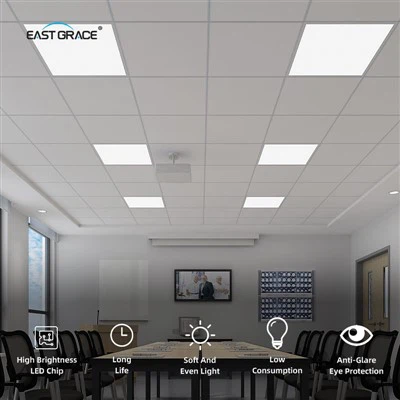
Hey there! As a supplier of the Slim LED Down Light B, I'm super excited to share with you how to connect this awesome lighting fixture to a smart home system. It's gonna make your life a whole lot easier and your home a whole lot cooler.
First things first, let's talk about why you'd want to connect your Slim LED Down Light B to a smart home system. Well, imagine being able to control your lights with just your voice or a tap on your phone. No more fumbling around for light switches in the dark. You can also set schedules, so your lights turn on and off at specific times, which is not only convenient but can also save you some energy. And if you're away from home, you can still control your lights to make it look like someone's there, adding an extra layer of security.
Now, let's get into the nitty - gritty of how to actually connect the Slim LED Down Light B to a smart home system.
Step 1: Check Compatibility
Before you start, you need to make sure that your Slim LED Down Light B is compatible with your chosen smart home system. Most of our Slim LED Down Light Bs are designed to work with popular smart home platforms like Amazon Alexa, Google Assistant, and Apple HomeKit. But it's always a good idea to double - check the product specifications just to be safe. You can find all the detailed compatibility information on the product packaging or on our website.


Step 2: Gather Your Tools
You'll need a few basic tools for this installation. A screwdriver is a must - have, as you'll likely need to open up the light fixture to make the necessary connections. You might also need some wire strippers if you have to work with the electrical wires. And of course, make sure you have your smart home hub or bridge ready. This is the device that will connect your lights to your home network and allow you to control them remotely.
Step 3: Install the Light
If you haven't already installed the Slim LED Down Light B, now's the time to do it. Turn off the power at the circuit breaker to avoid any electrical shocks. Then, carefully mount the light in the desired location. Follow the installation instructions that come with the light. Usually, it involves attaching the light to the ceiling or wall using the provided screws. Once it's securely in place, you can start working on the wiring.
Step 4: Connect the Wires
Open up the light fixture and locate the wiring terminals. There will typically be a hot wire (usually black), a neutral wire (usually white), and a ground wire (usually green or bare copper). Connect these wires to the corresponding wires in your electrical box. Make sure the connections are tight and secure. If you're not confident in your electrical skills, it's always a good idea to hire a professional electrician to do this part for you.
Step 5: Pair with the Smart Home System
Once the light is installed and wired correctly, it's time to pair it with your smart home system. First, make sure your smart home hub or bridge is connected to your home Wi - Fi network. Then, follow the instructions in your smart home app to add a new device. The app will guide you through the process of scanning for the Slim LED Down Light B. In most cases, you'll need to put the light into pairing mode. This usually involves turning the light on and off a few times in quick succession. Once the app detects the light, it will prompt you to give it a name and assign it to a room.
Step 6: Test the Connection
After pairing, it's time to test if everything is working properly. Use your smart home app or your voice assistant to turn the light on and off. Try adjusting the brightness or changing the color (if your Slim LED Down Light B has color - changing capabilities). If the light responds as expected, then congratulations! You've successfully connected your Slim LED Down Light B to your smart home system.
Now, I also want to mention some of our other great products. If you're into indoor home planting, you might be interested in our Foldable LED Grow Light Bar Module C. It's a really cool product that can help your plants grow healthy and strong. And for greenhouse farming, our UFO LED Grow Light Bulb C 240LED is a top - notch option. It provides the right amount of light for your plants to thrive. Also, if you're looking for a different type of LED light for your home, check out our 3CCT Slim Surface Round LED Panel Light A. It's stylish and energy - efficient.
If you're interested in purchasing our Slim LED Down Light B or any of our other products, we'd love to have a chat with you. We can discuss your specific needs, answer any questions you have, and work out the best deal for you. Whether you're a homeowner looking to upgrade your lighting or a business owner in the market for bulk orders, we're here to help.
References
- General knowledge about smart home system integration and LED lighting installation.
- Product specifications and manuals of Slim LED Down Light B, Foldable LED Grow Light Bar Module C, UFO LED Grow Light Bulb C 240LED, and 3CCT Slim Surface Round LED Panel Light A.